Checklist for Jira (Advanced) by AtlasOptimaDone should mean done.
Checklists on every Jira work item, with sign-off by a second person and items that tick themselves when linked work is done. Workflow rules hold the work until the required steps are done. Start from 61 ready-made templates.
Installs from the Atlassian Marketplace. Free for up to 10 users.
- Jira Cloud
- Runs on Atlassian badge
- No servers outside Atlassian
- Documentation
A tick is only as good as the check behind it.
That is why the steps that matter are signed off by someone who did not do them, items tied to other work close when that work does, and Jira holds the work until the required steps are done.
One release, start to done
Follow a single work item through Jira, step by step.
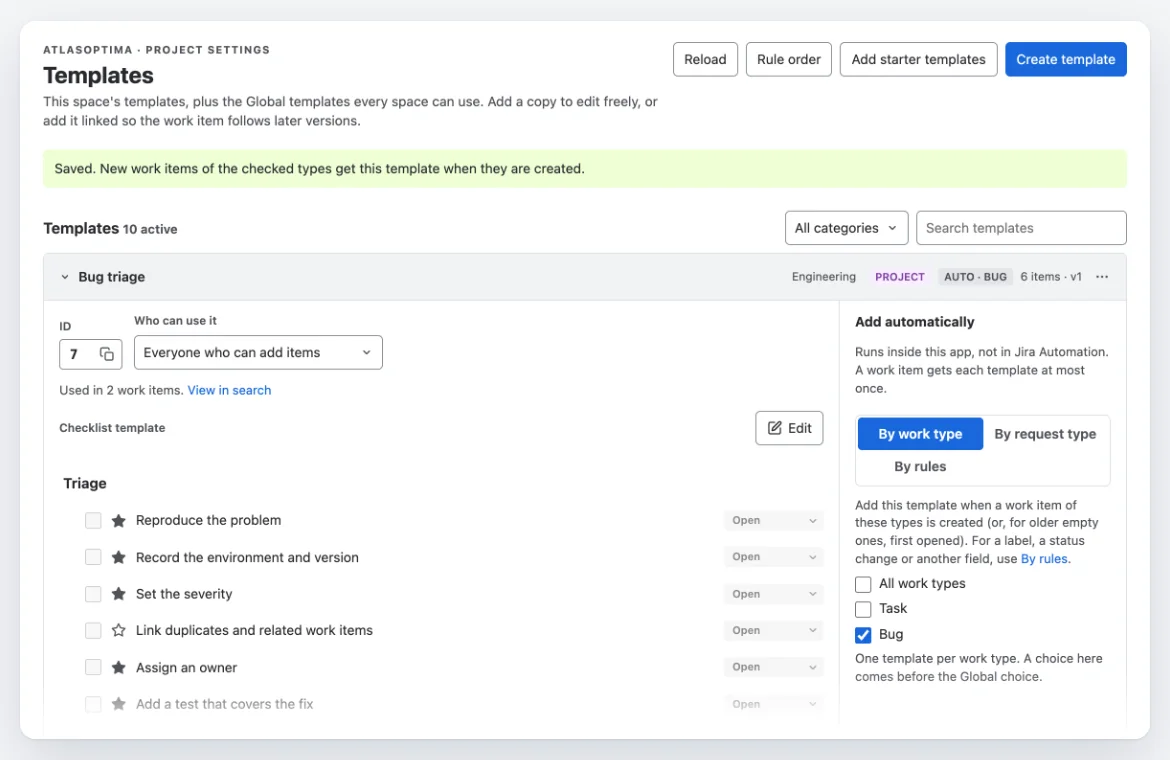
The right checklist is already there.
Create the work item and its template adds itself, by work type, request type or rule. Start from 61 ready-made templates for Definition of Done, acceptance criteria, QA and onboarding, or save your own. Add a template as your own copy, or keep it linked so later changes to the template reach the checklist.
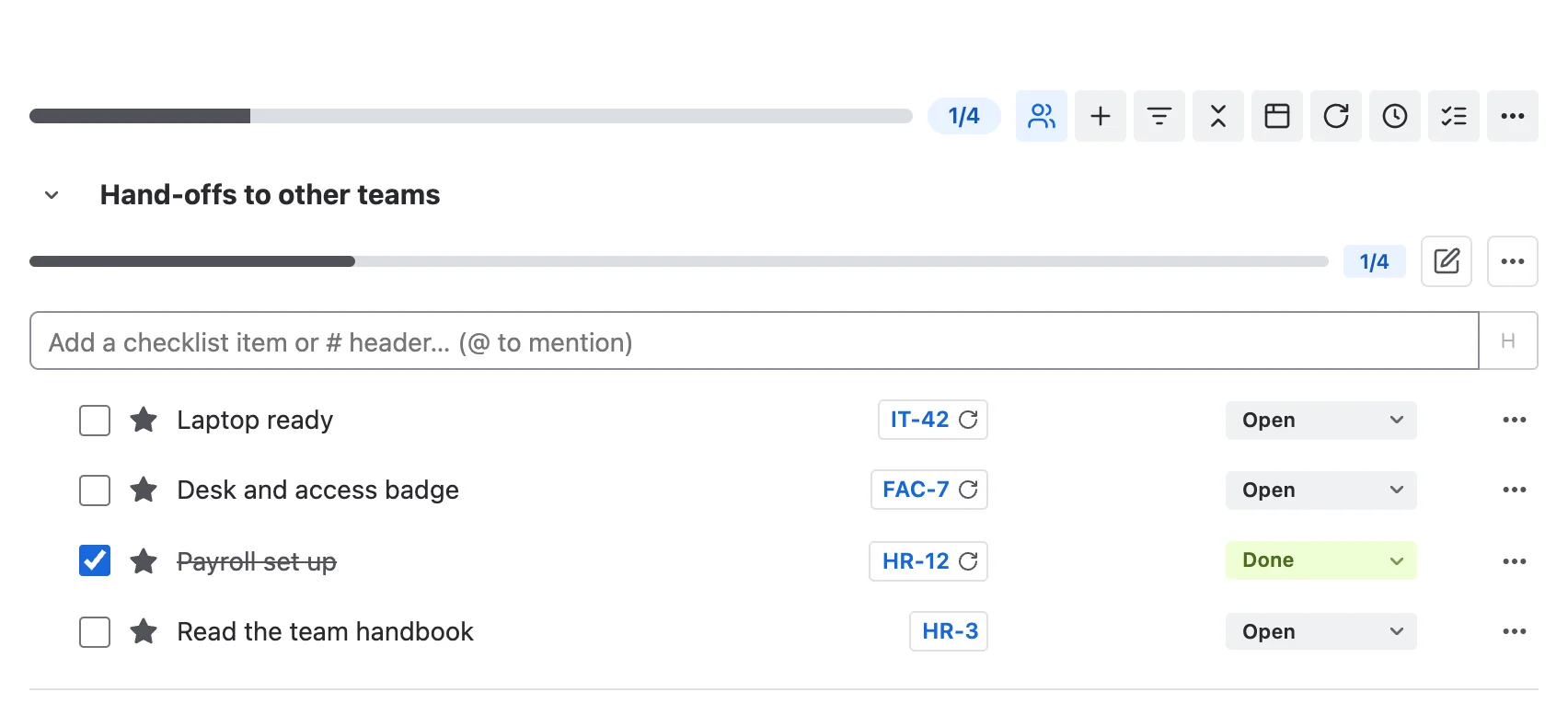
When linked work is done, the item ticks itself.
Link a checklist item to a Jira work item and it shows that work item's key. When the work item moves to Done, the checklist item ticks itself. Reopen it, and the item reopens.
Four eyes on the steps that matter.
A second person signs off an item with a note. Their name and the time are recorded, and the item locks until a space admin removes the sign-off. Whoever completed the item cannot sign it off. Until it is signed off, the app's workflow rules hold the transition, and Jira says which item still needs sign-off.
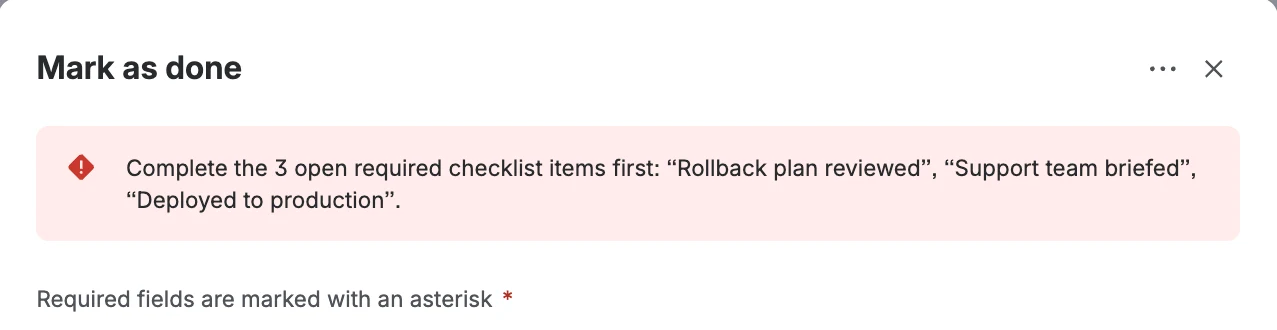
Jira will not close it early.
Add the "Required checklist items are complete" rule to a workflow transition. While a required item is open, Jira refuses the move and names what is left.
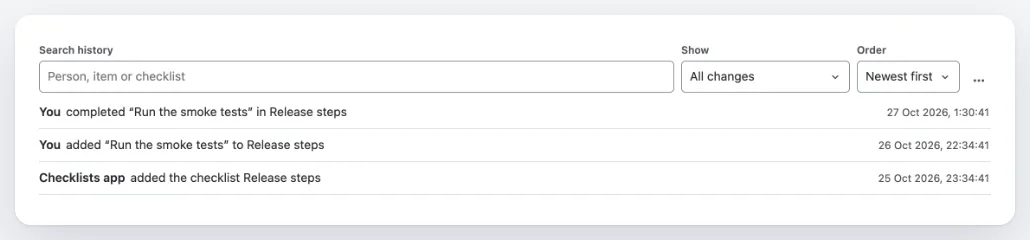
Done, and on record.
A history tab shows who added, changed or completed each item, and when. Search it, filter it, and export it as CSV for a review or an audit.
Moving from Smart Checklist (TitanApps) or Checklists for Jira (HeroCoders)?
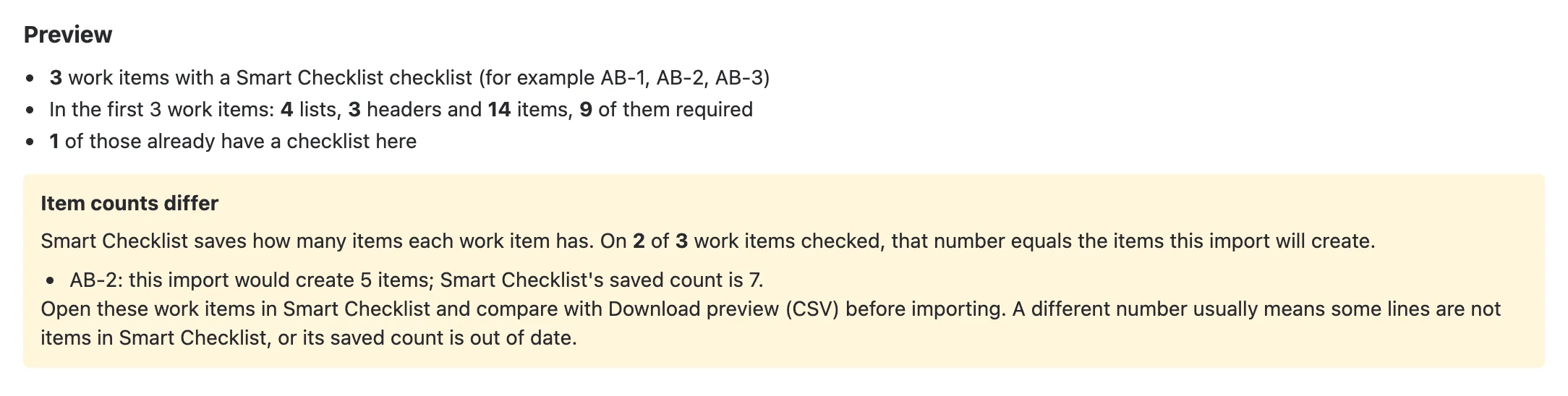
The import reads checklists from either app, or from a Jira CSV export. Preview first, with item counts checked against the other app, and any difference shown before you import. The import runs in the background, the other app's data is only read, and you can undo the latest import for 30 days.
Read the import guideSmart Checklist and Checklists for Jira are products of their respective owners. AtlasOptima is not affiliated with them.
Works with the rest of Jira
Jira Automation
Add checklist items and change their status from your Automation rules, so checklists keep pace with the rest of your workflow.
Search and reporting
Find unfinished work with JQL, show checklist progress in Jira search results, and follow it on three dashboard gadgets, a checklist report and a personal "My checklist items" page.
Customer portal
Jira Service Management customers see checklist progress on the portal, read-only. You choose whether they see the items too.
Rovo agent
The app's agent for Atlassian Rovo drafts a checklist from plain language and asks before adding it.
And the details
Owners and reminders
An owner, due date and priority on each item, with an email on the due date or up to seven days before it.
Write it as text
Type or paste a whole list in a simple line format.
Edit together
Two people can edit a checklist at once without losing each other's changes.
Yes, No and N/A
Yes/No/N/A items that require a reason for each No or N/A.
Repeating checklists
Daily, weekly, monthly, or when work enters a status.
Cloned work items
Checklists carry over when a work item is cloned.
Permissions and locks
Who can view, add, edit, complete or delete items, and editing locked in chosen statuses.
Template questions
When a template is added, it can ask a question and put the answer into the checklist.
Built and supported by an Atlassian Gold Solution Partner
AtlasOptima is an Atlassian Gold Solution Partner. We build and support this app ourselves, and support requests go through our service desk.

Where your data lives
- Stored in Atlassian's cloud, in the app's own database for your site. No servers outside Atlassian.
- Atlassian account IDs are stored, never names or email addresses.
- Jira permissions still decide who can see a work item.
Who it is for
Software teams
Definition of Ready, Definition of Done, release and QA steps on every work item.
IT service teams
Repeatable request, handoff and incident checklists, with progress customers can see on the portal.
HR teams
Onboarding and offboarding steps from a template, each with a named owner.
Operations teams
Recurring inspections and service procedures, with progress and a history of who did what.
Free for up to 10 users
Larger teams pay per user, billed by Atlassian through the Marketplace. Jira Cloud only.
Questions teams ask before installing
Where do checklists appear?
On every Jira work item, in a panel called AO Checklist, which is the app's short name inside Jira. Admins can pin the panel for the spaces where it is enabled.
Can one work item have several checklists?
Yes. Add the lists the work needs, each with its own headers, items and progress.
Can a checklist stop a Jira transition?
Yes. Add the "Required checklist items are complete" validator to a workflow transition, and the transition is refused while required items are open.
How does sign-off work?
You can ask for a second person to sign off a checklist item. The person who completed the item cannot sign it off. Once signed, the item is locked until a space admin removes the sign-off.
Can I move from Smart Checklist (TitanApps) or Checklists for Jira (HeroCoders)?
Yes. The import reads checklists from either app, or from a Jira CSV export. You preview first, with item counts checked against the other app; the import runs in the background, and you can undo the latest import for 30 days. The other app's data is only read, never changed.
Is there a Data Center version?
No. Checklist for Jira (Advanced) is built for Jira Cloud and runs on Atlassian's Forge platform.
Where is checklist data stored?
In Atlassian's cloud, in the app's own database for your site; the app uses no servers outside Atlassian. It stores Atlassian account IDs rather than names or email addresses, and Jira permissions still decide who can see a work item.
What does it cost?
It is free for up to 10 users. Larger teams pay through the Atlassian Marketplace; the listing shows current prices.